Trava

Solutions

+

Advisory Solutions

Compliance Readiness

Data Privacy Compliance

Internal Audit

vCISO

AI Risk Management Services

Cybersecurity Risk Assessment Service

Cyber Due Diligence

Documentation Support

Policy & Controls Implementation

Tabletop Exercises

Cybersecurity Solutions

Penetration Testing

Vulnerability Assessment Service

Social Engineering

Red Teaming

Managed Programs

Managed Compliance Program

Managed Pen Test Program

Managed Security Training Program

Managed VM Program

Managed SOC Program

One platform for your security program. With our team in it when you need them.

Vulnerability scanning, controls assessment, risk register, and reporting you run yourself. Plus live visibility into every engagement our team delivers for you. Same place, same data.

See the platform
app.travasecurity.com
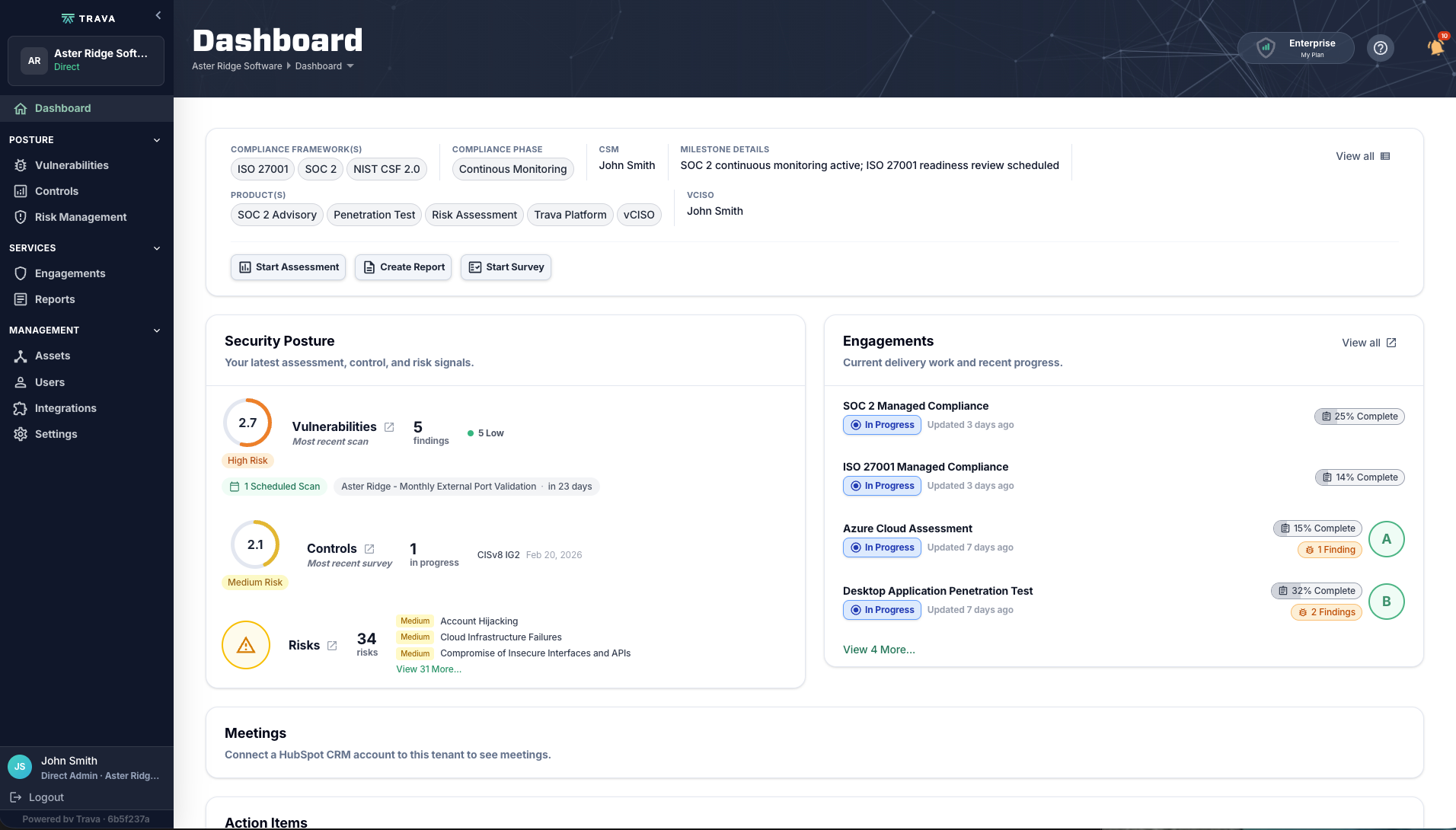
The Trava platform dashboard: security posture, engagements, and action items in one view.
See the platform
Vulnerability management

Know your attack surface

Comprehensive vulnerability assessment across your external surface, web apps, APIs, cloud, networks, endpoints, and identities. Findings are scored, deduplicated, and prioritized — not dumped on you as a raw scanner export.

01

Scored, deduplicated, ranked

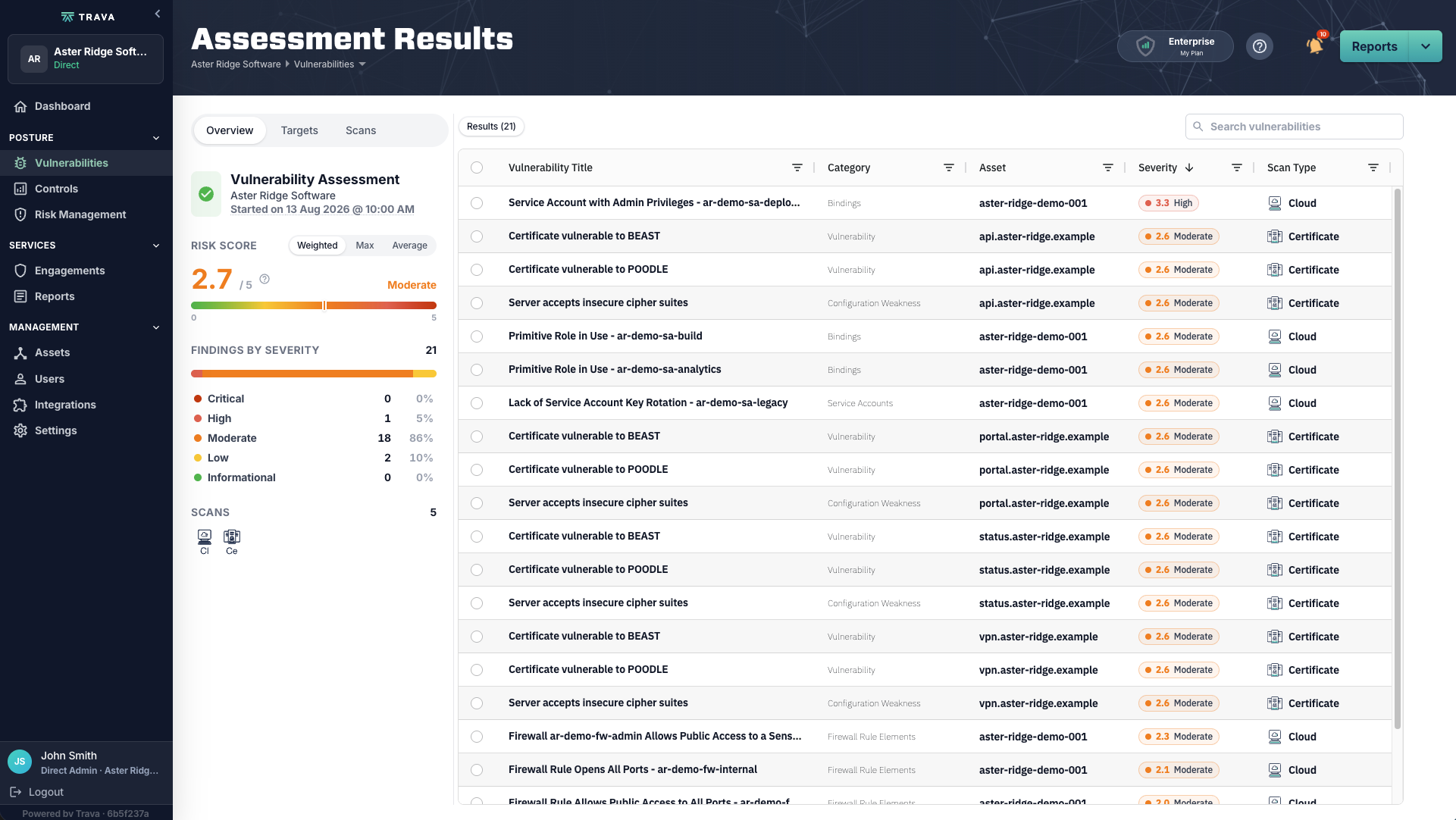
A single risk score for the whole assessment, tracked over time against an industry-average benchmark, with findings ordered so you know which ones to fix first.

Assessment Results screen showing a weighted risk score, findings by severity, and a ranked vulnerability table.
02

Every target, on the schedule you set

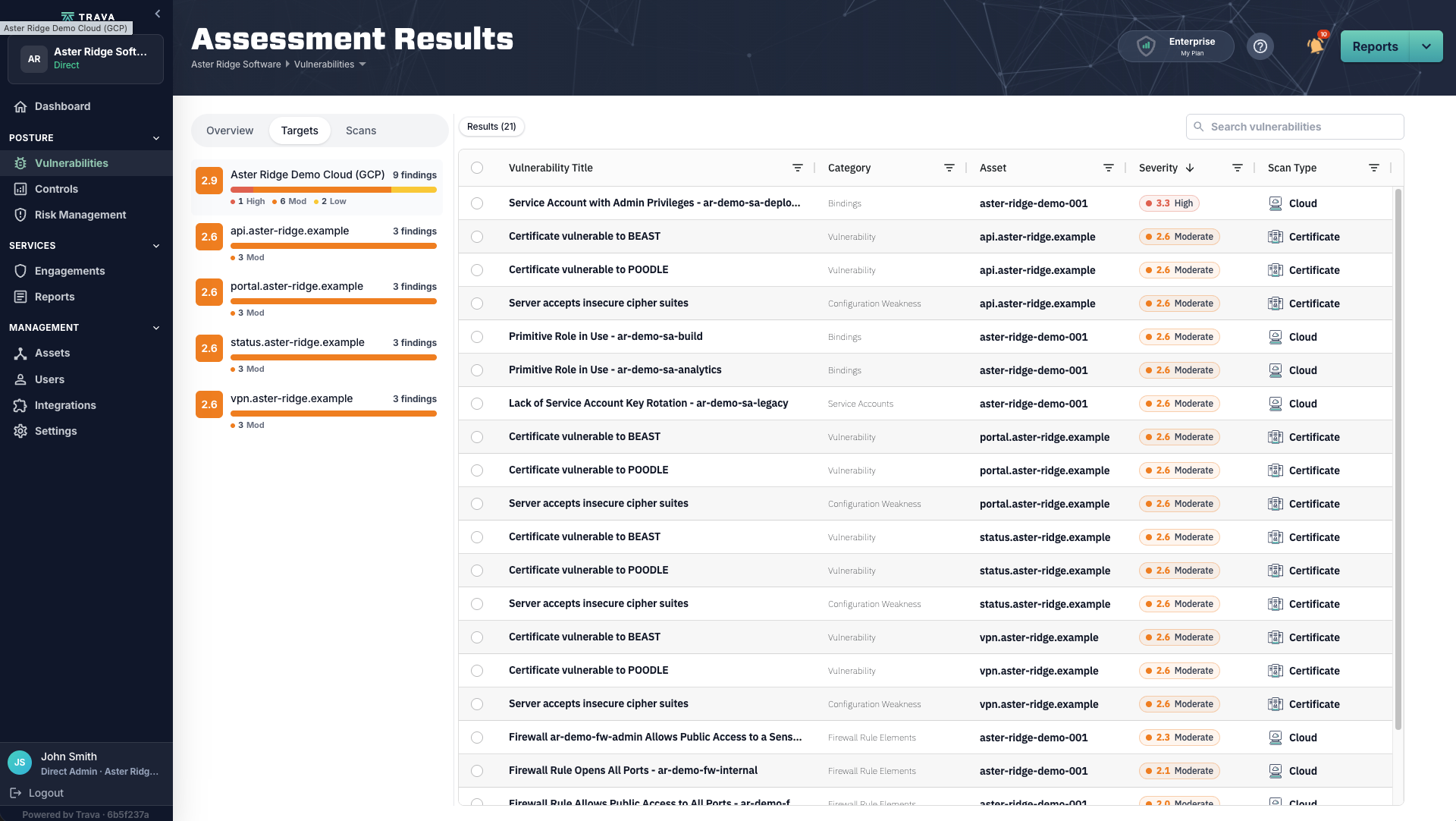
Cloud projects, APIs, portals, VPN endpoints — each scanned on its own cadence, each carrying its own score, so you can see where the risk actually concentrates.

Targets tab listing scanned assets with individual risk scores and finding counts.
03

What it is. Why it matters. What to do.

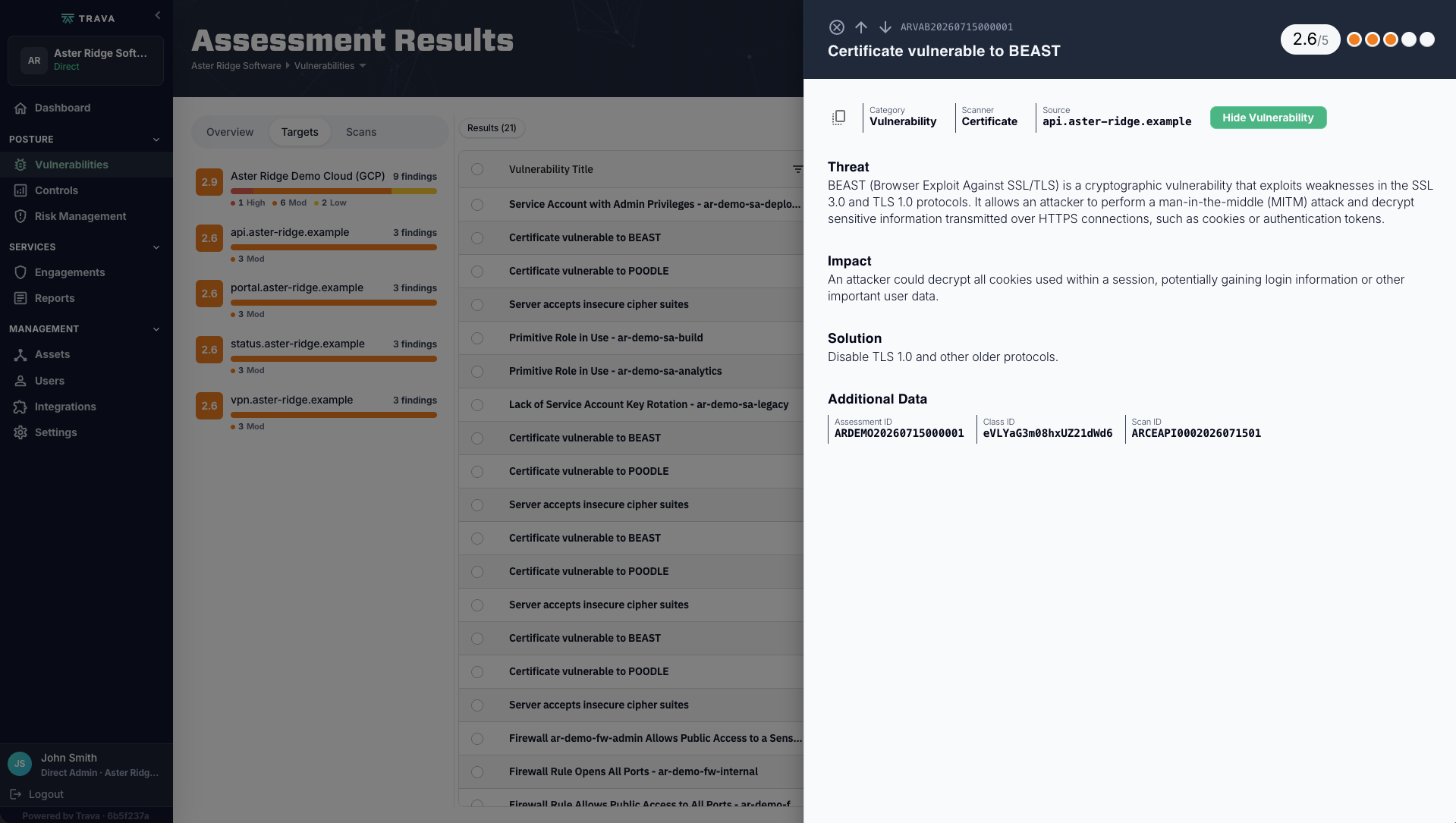
Every vulnerability carries a plain-language threat description, an Impact statement, and a Solution — not just a CVE ID and a number.

Vulnerability detail panel with Threat, Impact, and Solution sections for a certificate weakness.
app.travasecurity.com
Assessment Results screen showing a weighted risk score, findings by severity, and a ranked vulnerability table.Targets tab listing scanned assets with individual risk scores and finding counts.Vulnerability detail panel with Threat, Impact, and Solution sections for a certificate weakness.
Assessment results. Risk score, findings by severity, and the full result set in one view.
“Every finding tells you what it is, why it matters, and what to do about it.”

Run the scans yourself.Or hand the whole program to our Managed VM team.

Controls assessment

Measure where you stand

Guided control assessments mapped to the frameworks you are accountable to. Pick the one that matters to your business, or run several at once and see where they overlap. Progress saves as you go, so an assessment survives being handed between people.

01

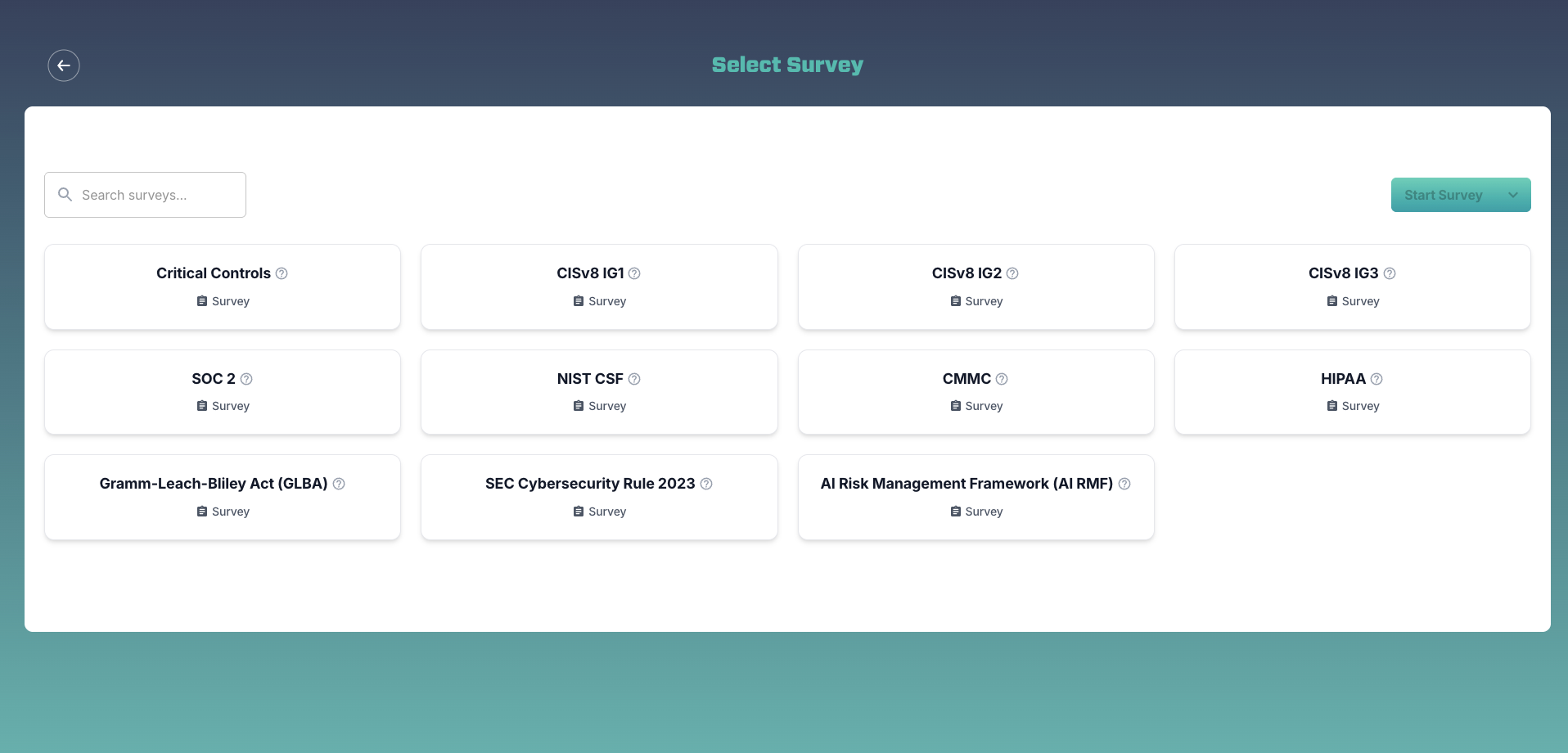
Eleven frameworks, one assessment

SOC 2, NIST CSF, HIPAA, CMMC, GLBA, the SEC Cybersecurity Rule, the NIST AI Risk Management Framework, and CIS v8 at all three implementation groups — selectable one at a time or several at once.

Framework picker showing eleven selectable assessment frameworks.
02

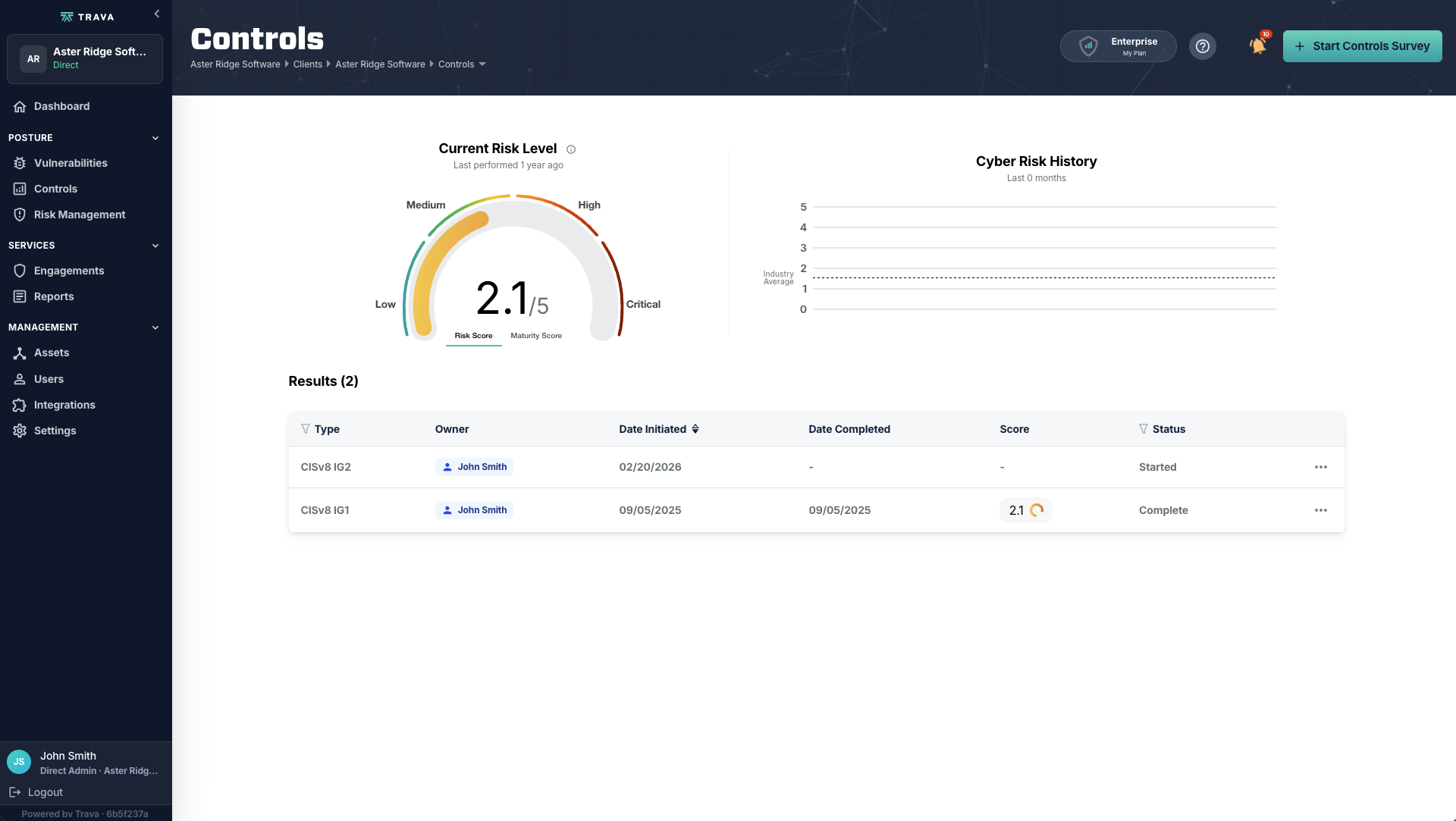
Risk and maturity, tracked separately

Current risk level, a maturity toggle, and the history of completed and in-progress assessments with named owners. Both scores trend over time as you reassess, and both benchmark against an industry average.

Controls dashboard with current risk level, maturity toggle, and a history of assessments.
03

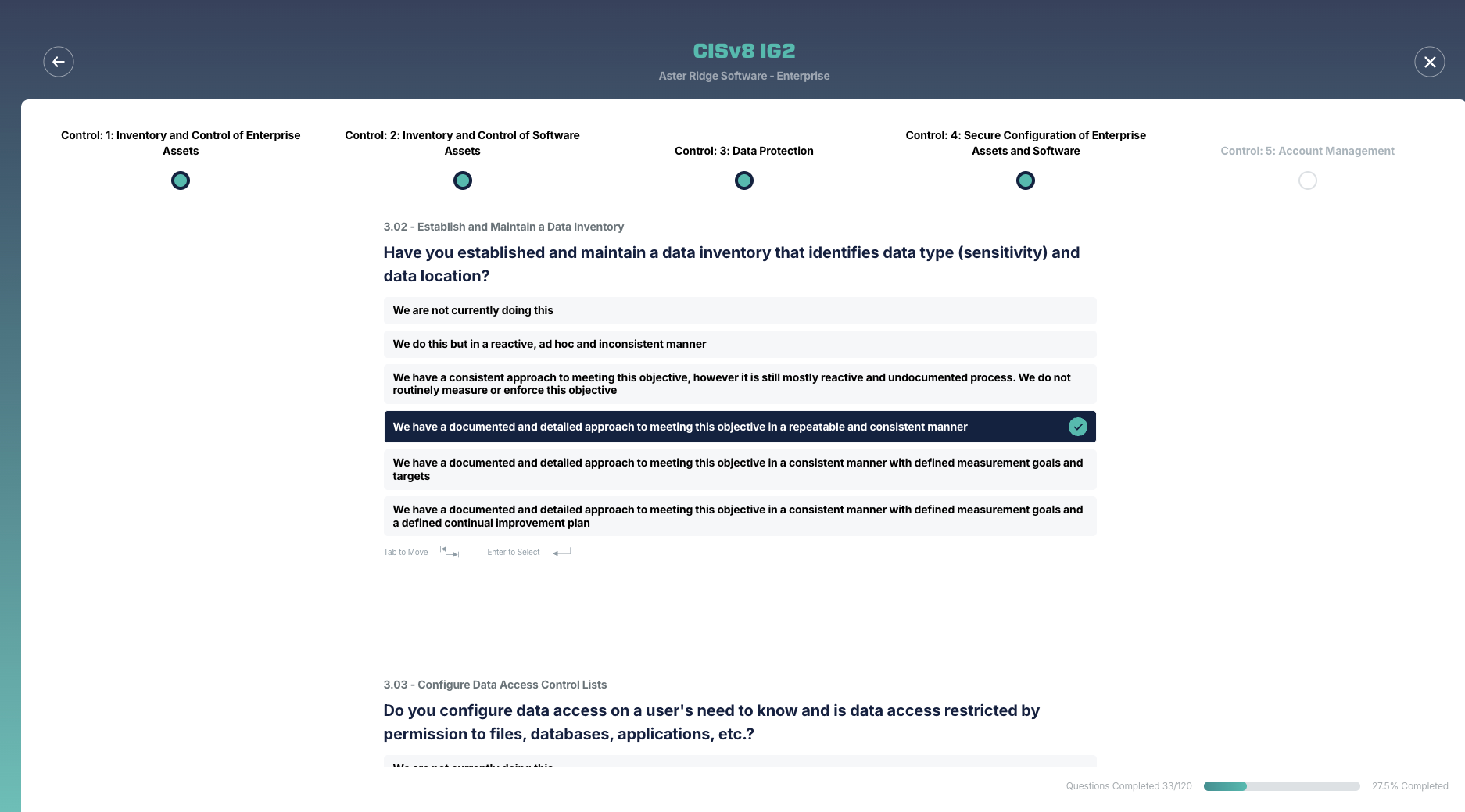
Scored on a scale, not a checkbox

From not doing this at all, through documented, measured, and continually improving. You learn how well you actually do something, not just whether you do it.

Guided assessment question with maturity-scale answers and control-family progress.
app.travasecurity.com
Framework picker showing eleven selectable assessment frameworks.Controls dashboard with current risk level, maturity toggle, and a history of assessments.Guided assessment question with maturity-scale answers and control-family progress.
Framework picker. Eleven assessment frameworks available today, individually or in combination.
“You learn how well you actually do something, not just whether you do it at all.”

Self-assess at your own pace.Or run it alongside a Trava analyst as part of a compliance engagement.

Risk register

Know what to fix first

Findings roll up into an enterprise risk register with impact, likelihood, treatment, and a named owner. Every risk links to the controls that address it and the action items that close it.

01

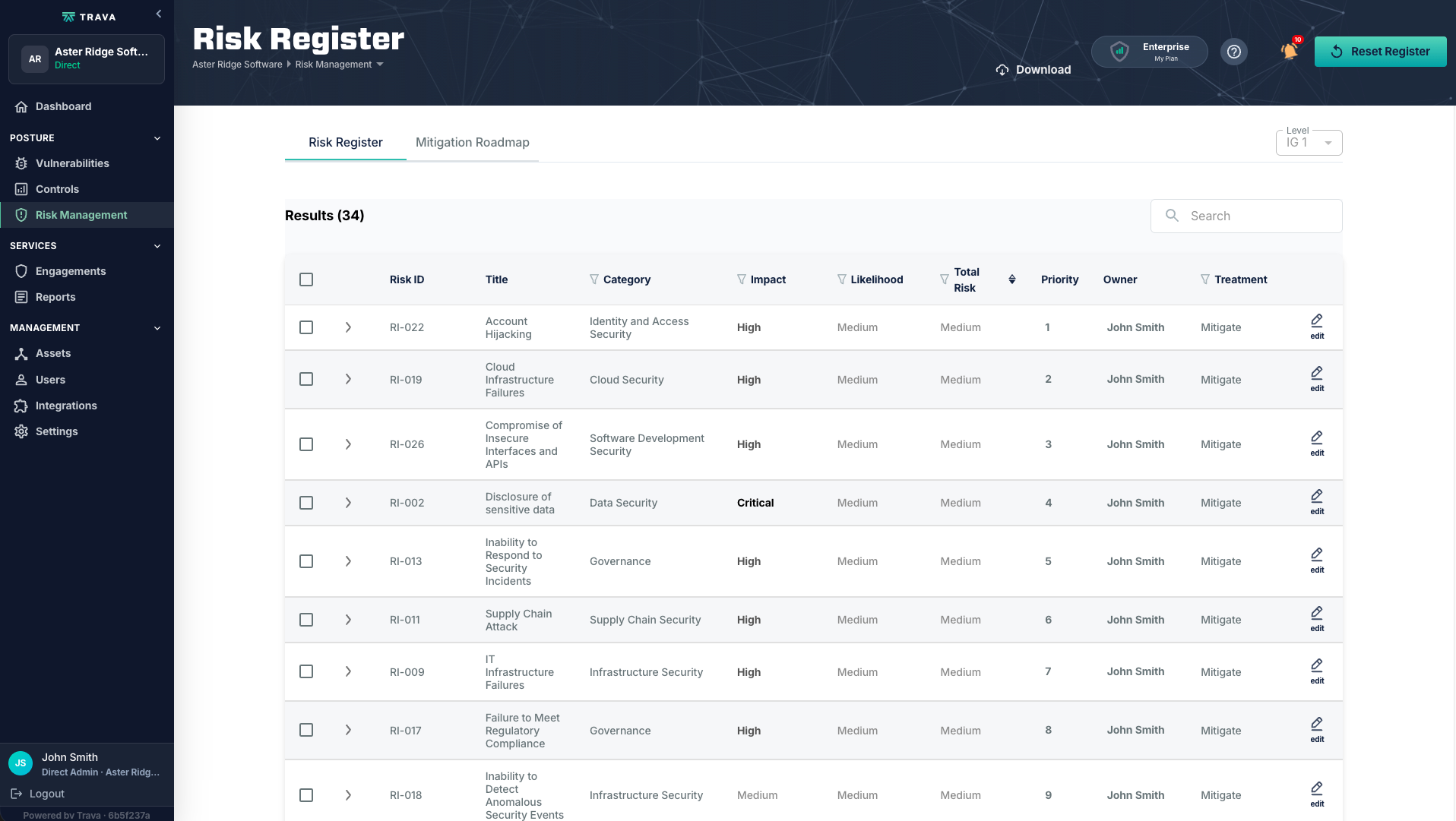
The register

Impact, likelihood, total risk, priority, owner, and treatment decision on every risk — each one linking through to the controls that address it. Downloadable for board packets and audit evidence.

Enterprise risk register table with impact, likelihood, priority, owner, and treatment columns.
02

The roadmap

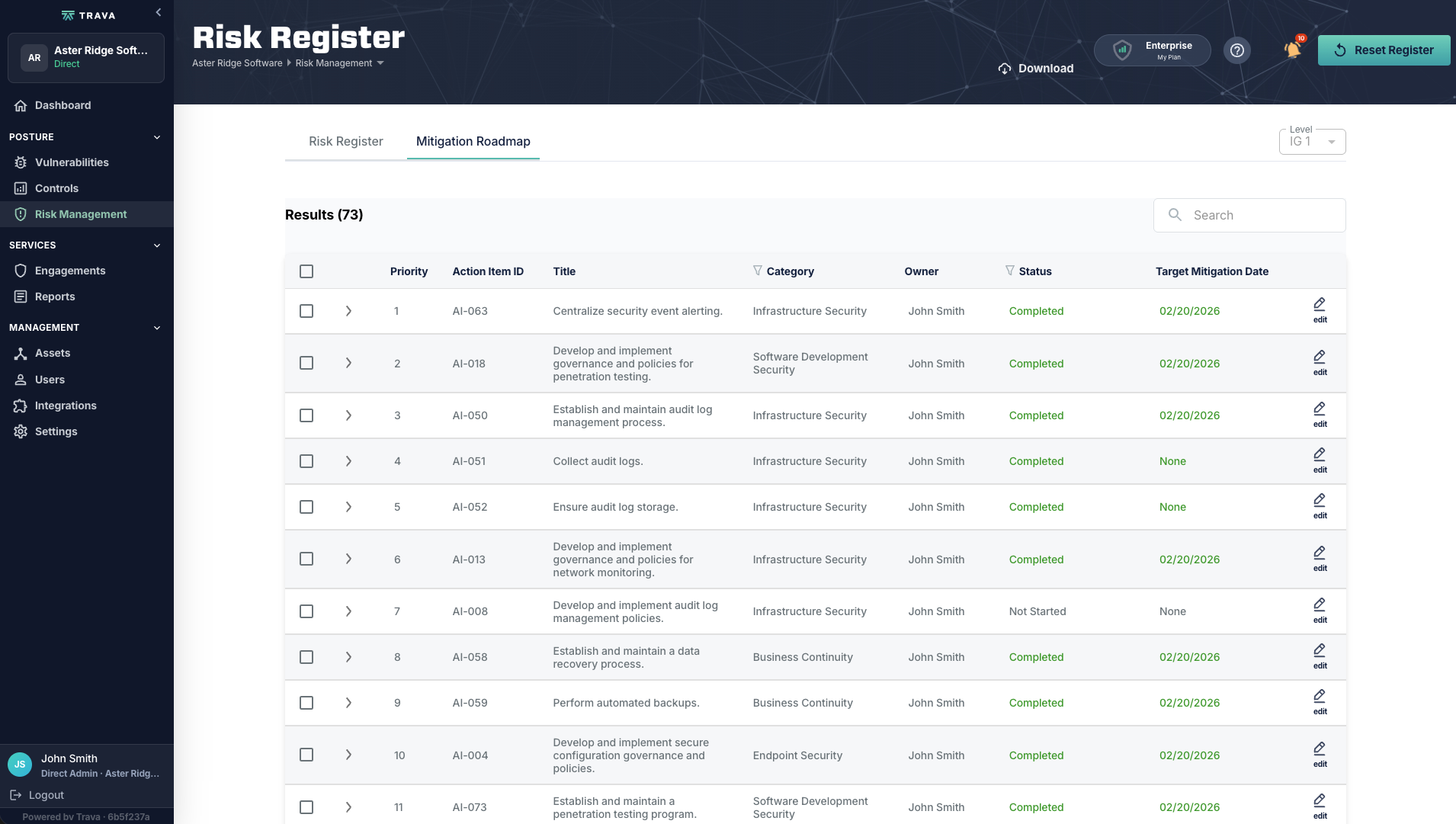
Prioritized action items with owners, status, and target dates — the sequence that actually closes the risks, not just the list of them.

Mitigation roadmap listing prioritized action items with owners, statuses, and target dates.
app.travasecurity.com
Enterprise risk register table with impact, likelihood, priority, owner, and treatment columns.Mitigation roadmap listing prioritized action items with owners, statuses, and target dates.
Risk register. Impact, likelihood, total risk, priority, owner, and treatment decision per risk.
“A risk register is a list. A mitigation roadmap is a plan. You get both.”

Track it yourself.Or let our team drive the roadmap with you.

That’s the half you run.

The other half is work Trava delivers for you — and it lands in the same account, while it’s still happening.

See what we run
Engagements

See the work as it happens

Every engagement we run for you has a live record — pentest and compliance work side by side, each with its own status. Scope, timeline, findings as we identify them, remediation progress, and a direct line to the people doing the work.

01

A timeline with a date on it

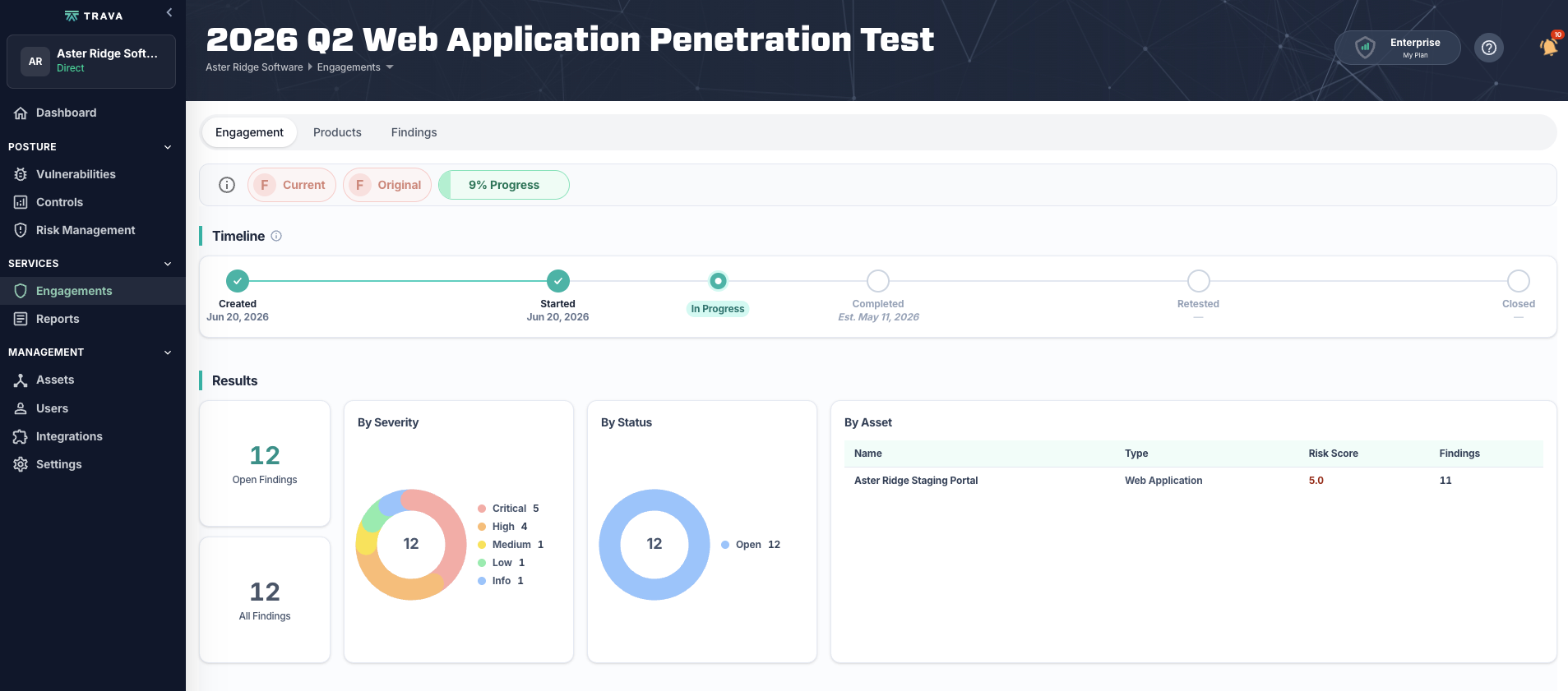
Kickoff through retest and close, with an estimated completion date. Open findings, severity and status breakdown, and findings grouped by asset.

Engagement overview with a kickoff-to-close timeline and open findings summary.
02

Findings as we discover them

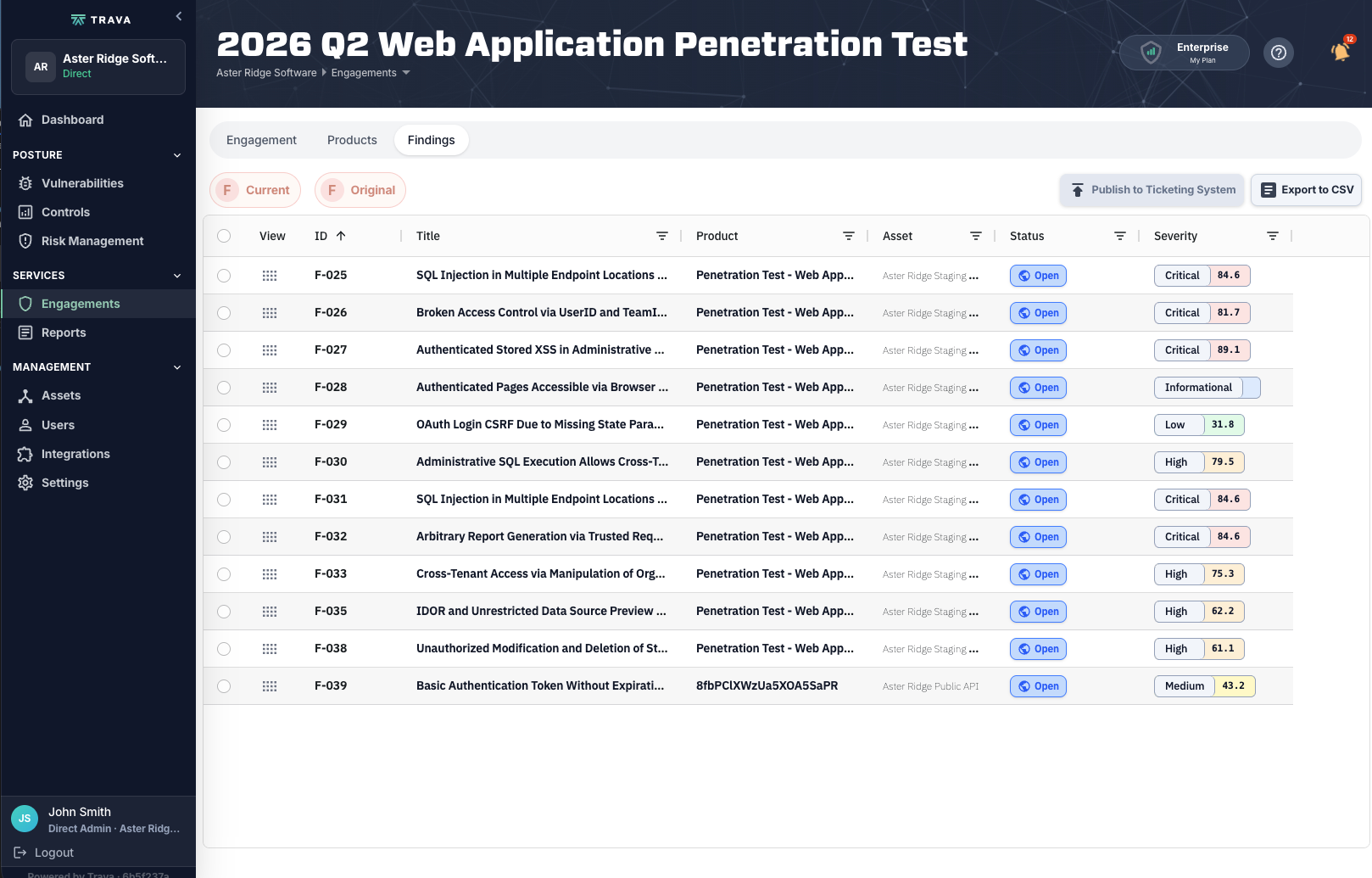
Published the moment we confirm them, each with a risk score. Push them straight to your ticketing system or export to CSV.

Findings list with risk scores, statuses, and export controls.
03

Retest without the email thread

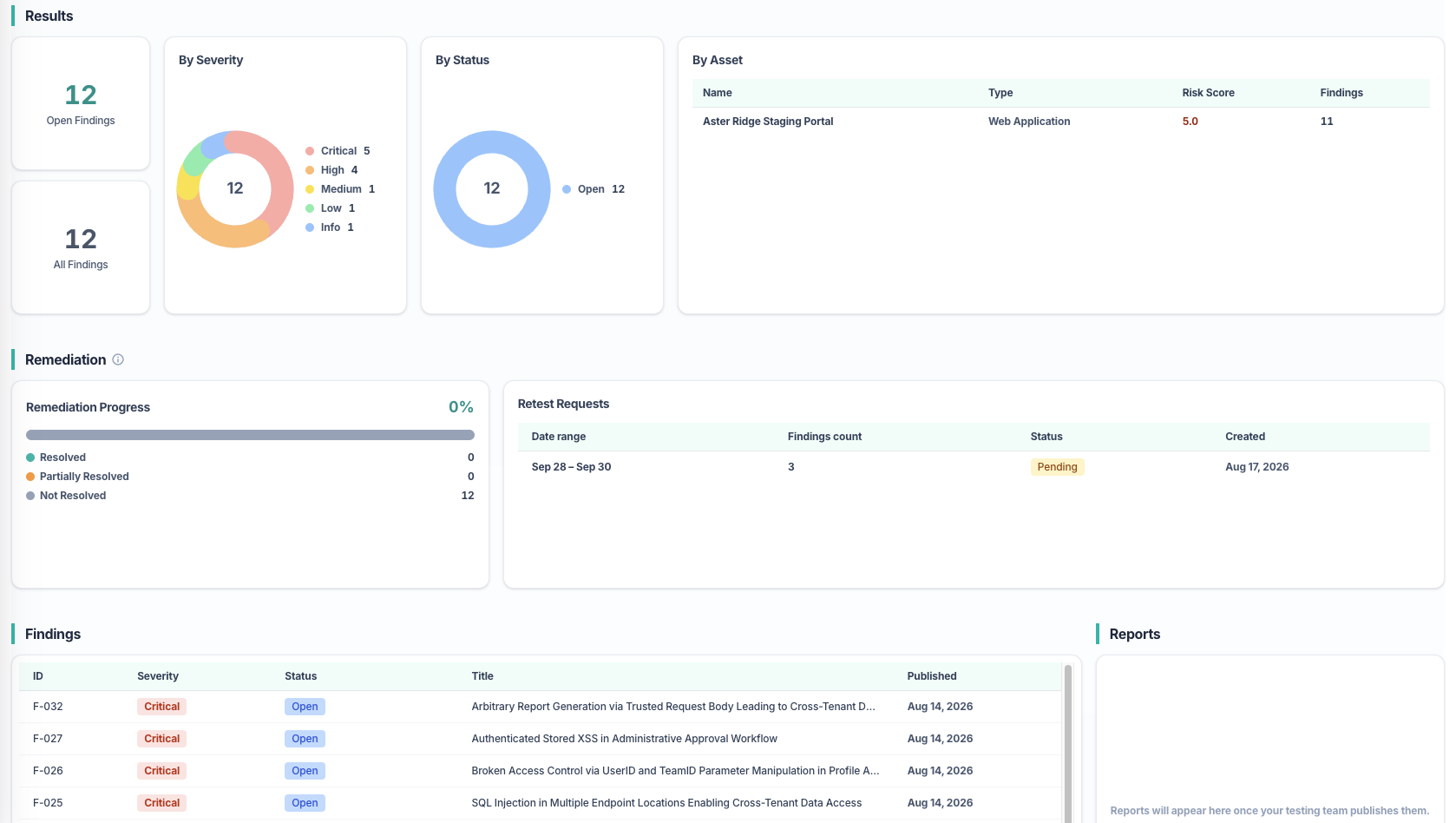
Remediation progress tracked on the engagement, with Request Retest available directly in the platform. Ask questions and work through findings with the testers themselves.

Remediation progress panel with a Request Retest button and a live findings feed.
app.travasecurity.com
Engagement overview with a kickoff-to-close timeline and open findings summary.Findings list with risk scores, statuses, and export controls.Remediation progress panel with a Request Retest button and a live findings feed.
Engagement overview. Timeline, open findings, severity and status breakdown, findings by asset.
“You don’t need to wait for the report to find out what we found.”

This half is ours. You watch it happen.

Evidence

Every finding comes with proof

Findings are not theoretical. Each one carries written reproduction steps and the captured evidence behind them, so your engineers can verify the issue themselves instead of taking our word for it.

01

The finding

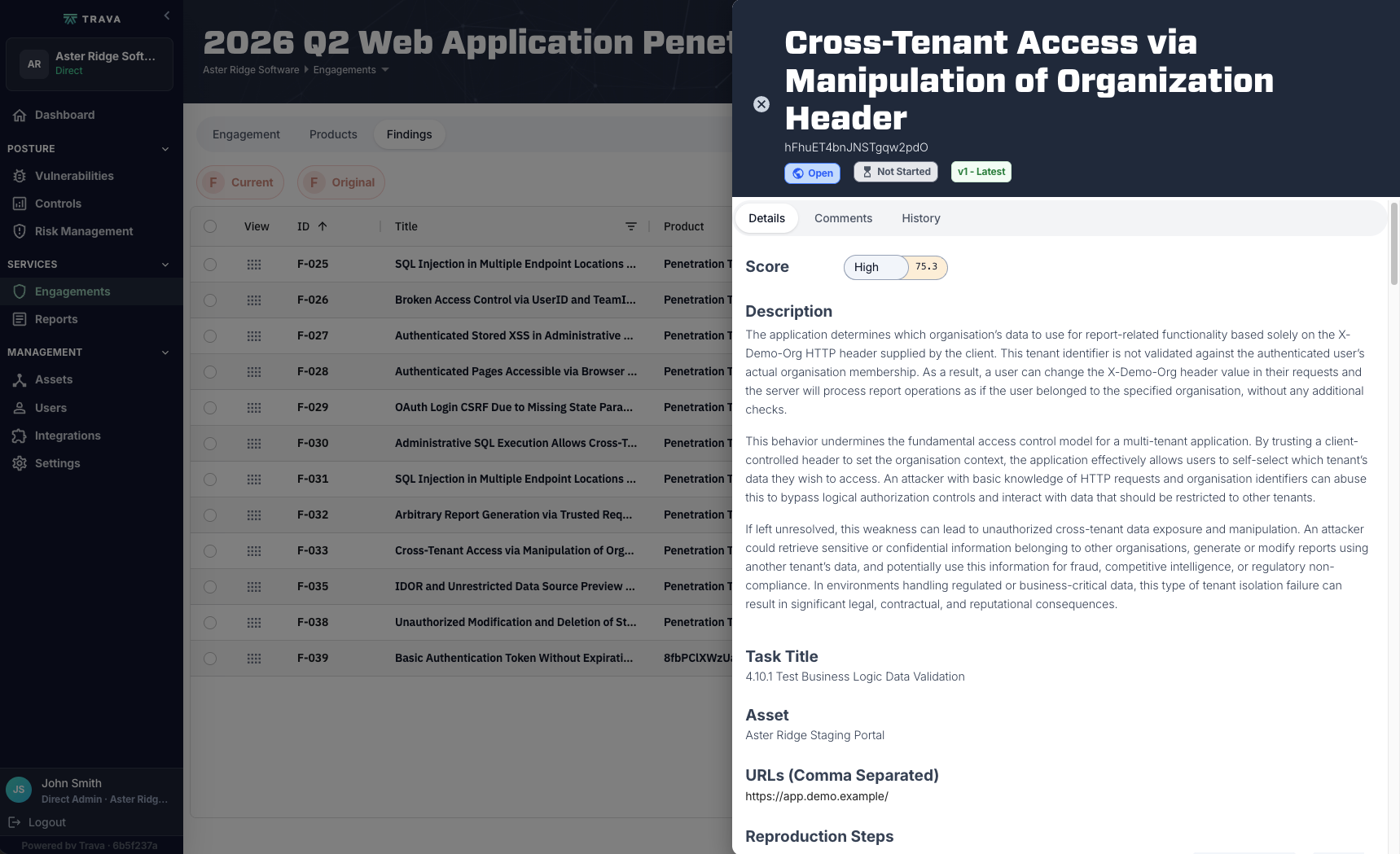
Risk score, a plain-language explanation of what the flaw is and what it puts at risk, the OWASP WSTG test case it maps to, and the affected asset and URL.

Finding detail header with risk score, explanation, OWASP WSTG mapping, and affected asset.
02

The proof

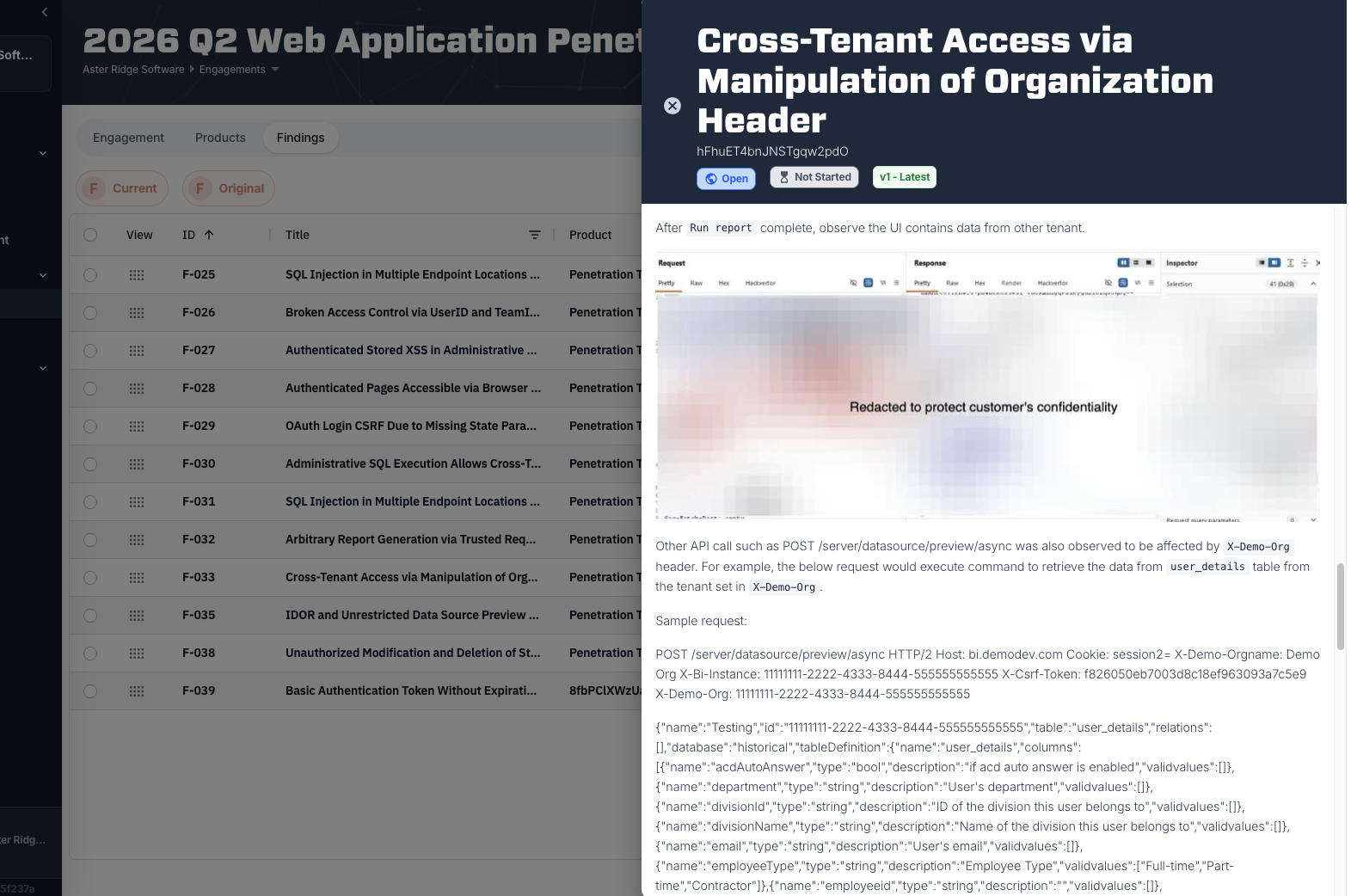
Numbered, plain-language reproduction steps with the intercepted request and response captured at each one. Sensitive values redacted before anything is published.

Numbered reproduction steps with captured HTTP request and response evidence.
03

The fix, and the proof it’s fixed

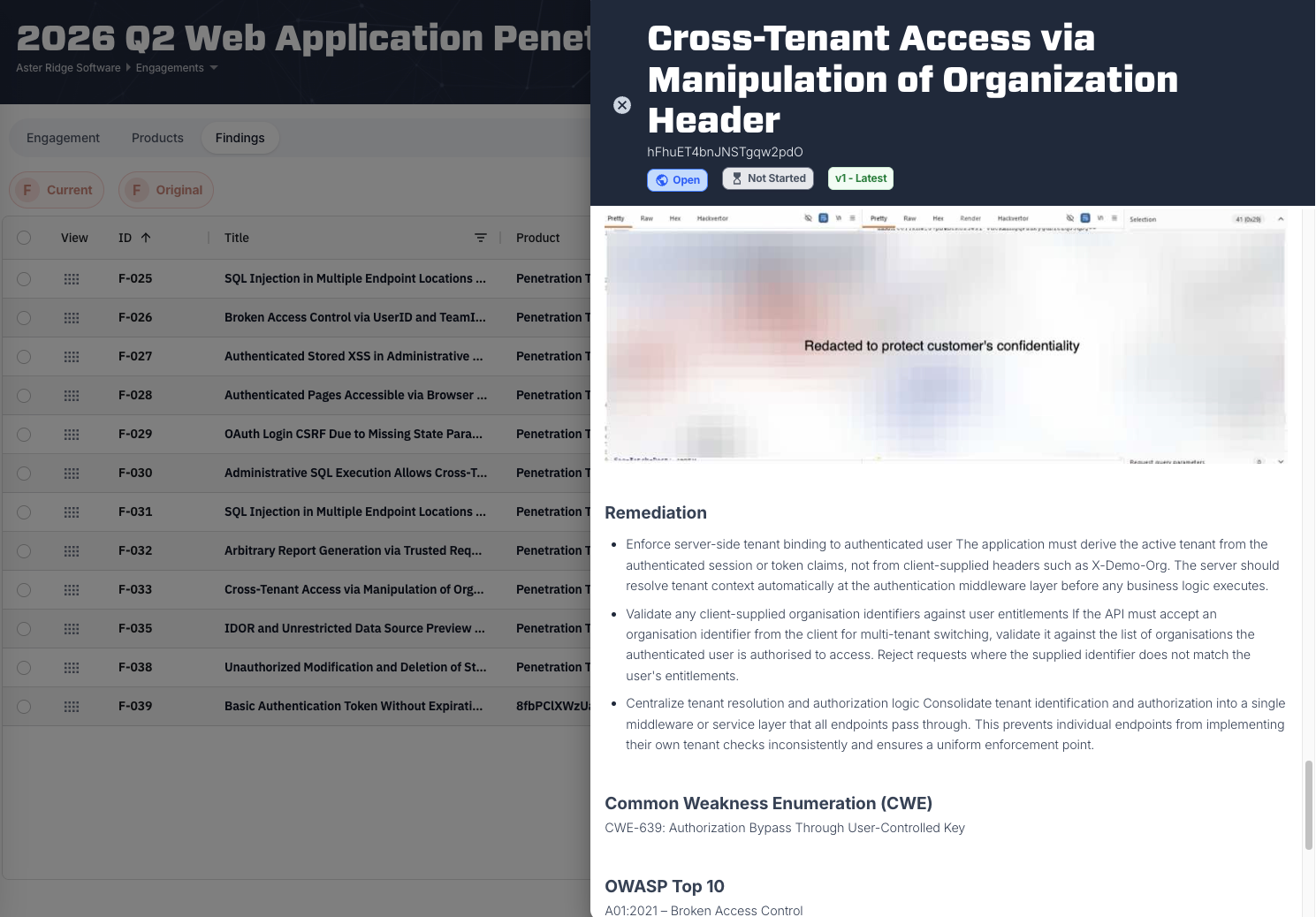
Specific remediation ranked from the root cause outward, with CWE and OWASP Top 10 mappings for the engineer implementing it — and once it’s done, the retest outcome recorded on the finding itself.

Remediation recommendations ranked by root cause with CWE and OWASP Top 10 references.
app.travasecurity.com
Finding detail header with risk score, explanation, OWASP WSTG mapping, and affected asset.Numbered reproduction steps with captured HTTP request and response evidence.Remediation recommendations ranked by root cause with CWE and OWASP Top 10 references.
Finding detail, top. Risk score, plain-language explanation, WSTG mapping, affected asset.
“Your engineers can reproduce it, fix it, and ask us to verify — without a single email.”

Delivered by our testers. Visible to your engineers the moment it’s confirmed.

Compliance roadmap

A compliance program with a plan and a date

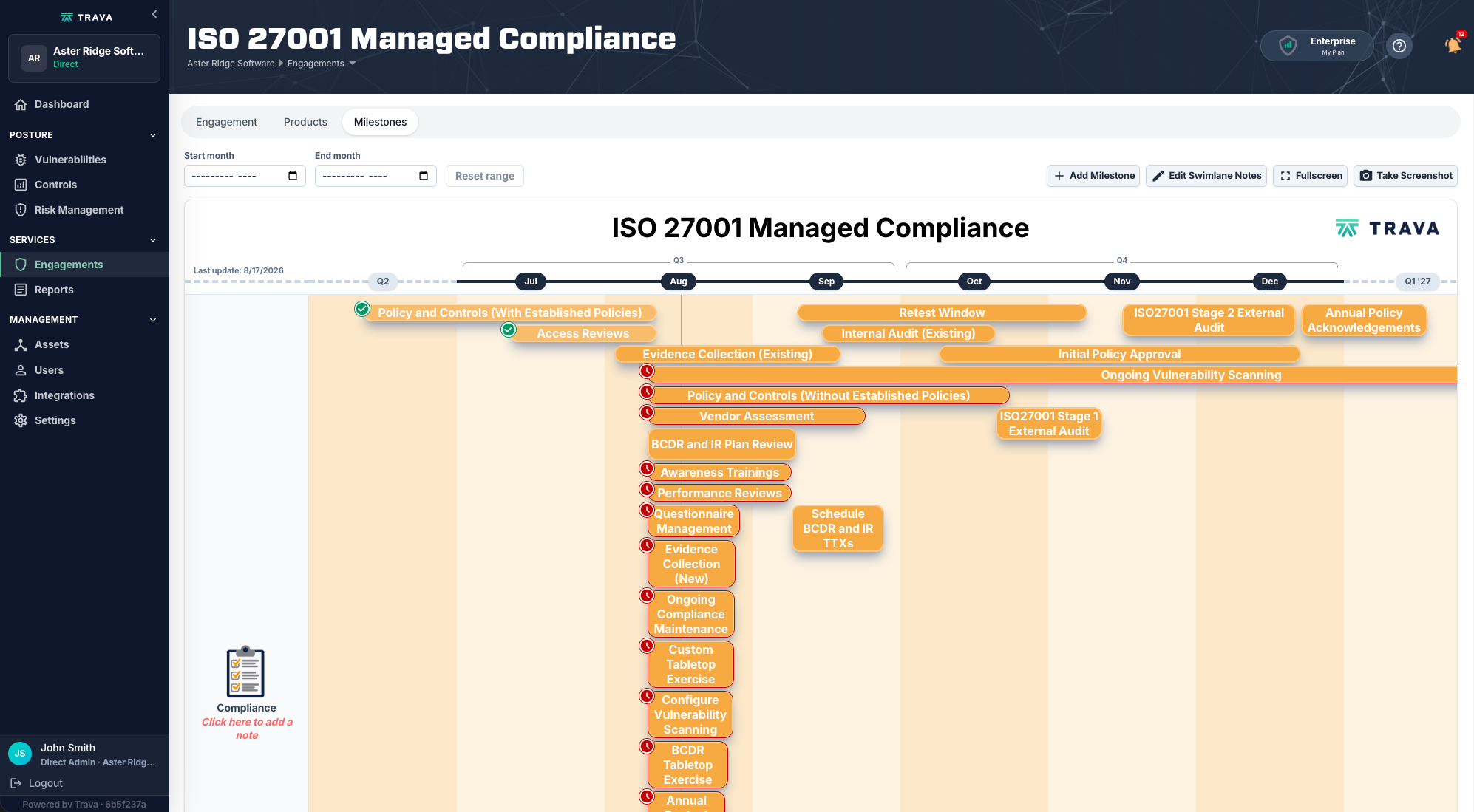
Every workstream, on a real calendar, with your external audit dates on it — from the first policy draft through to the audit itself.

  • Every workstream mapped across quarters, from policy work to external audit
  • Audit stages and deadlines placed on the timeline, not tracked in a side spreadsheet
  • Completed, in-flight, and at-risk items all clearly marked
  • Built-in fullscreen and export, so it can go straight into a board deck
app.travasecurity.com
ISO 27001 milestone roadmap with workstreams laid out across quarters and audit dates marked.
The ISO 27001 milestone roadmap.
“Most compliance tools tell you how ready you are. We show you the plan that gets you certified.”
Reports

Deliverables that don’t go stale

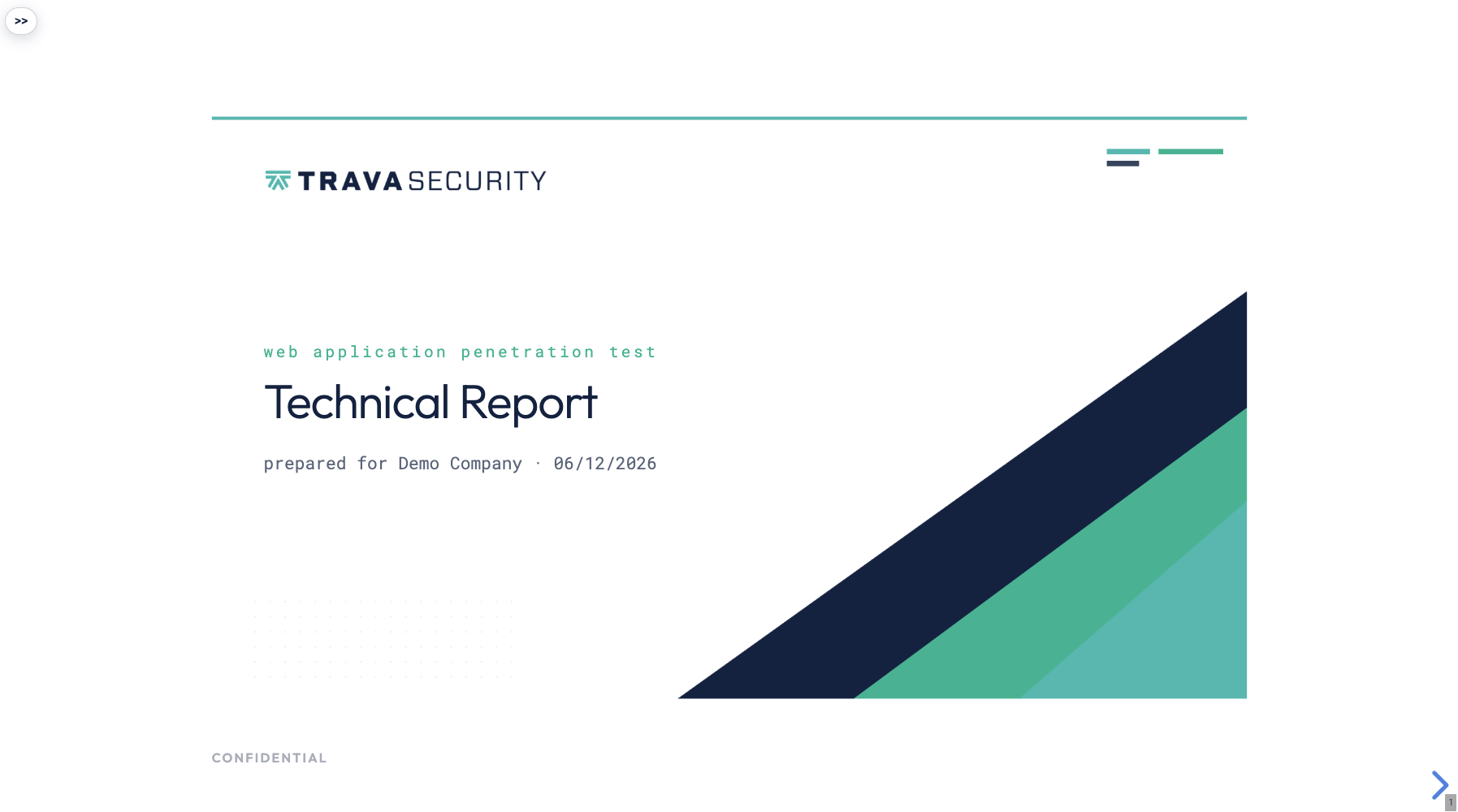
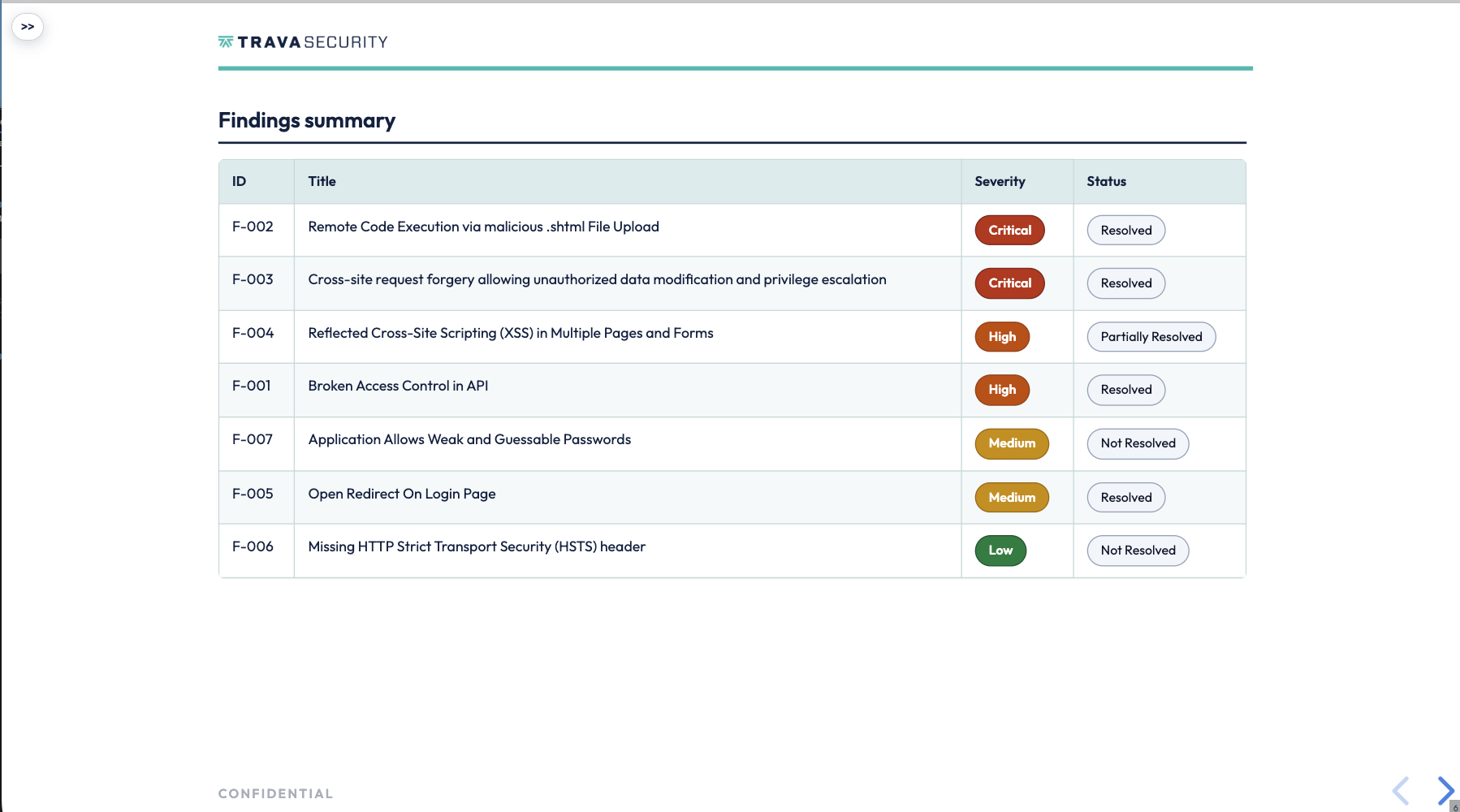
Reports open in your browser as navigable documents. Executive summary, methodology, findings, and per-finding detail mapped to external references — with each finding showing its current remediation status, so the report stays true as you fix things.

01

Opens in the browser

Fully branded, with a slide navigator for jumping between the executive summary, the methodology, and the findings themselves. Read it in the browser or download it — your call.

In-browser report cover page with a slide navigator.
02

Status that updates as you fix

Resolved, Partially Resolved, Not Resolved — shown on every finding and mapped to external frameworks, so the document reflects where you stand today rather than where you stood at delivery.

Findings summary table showing live remediation status per finding.
03

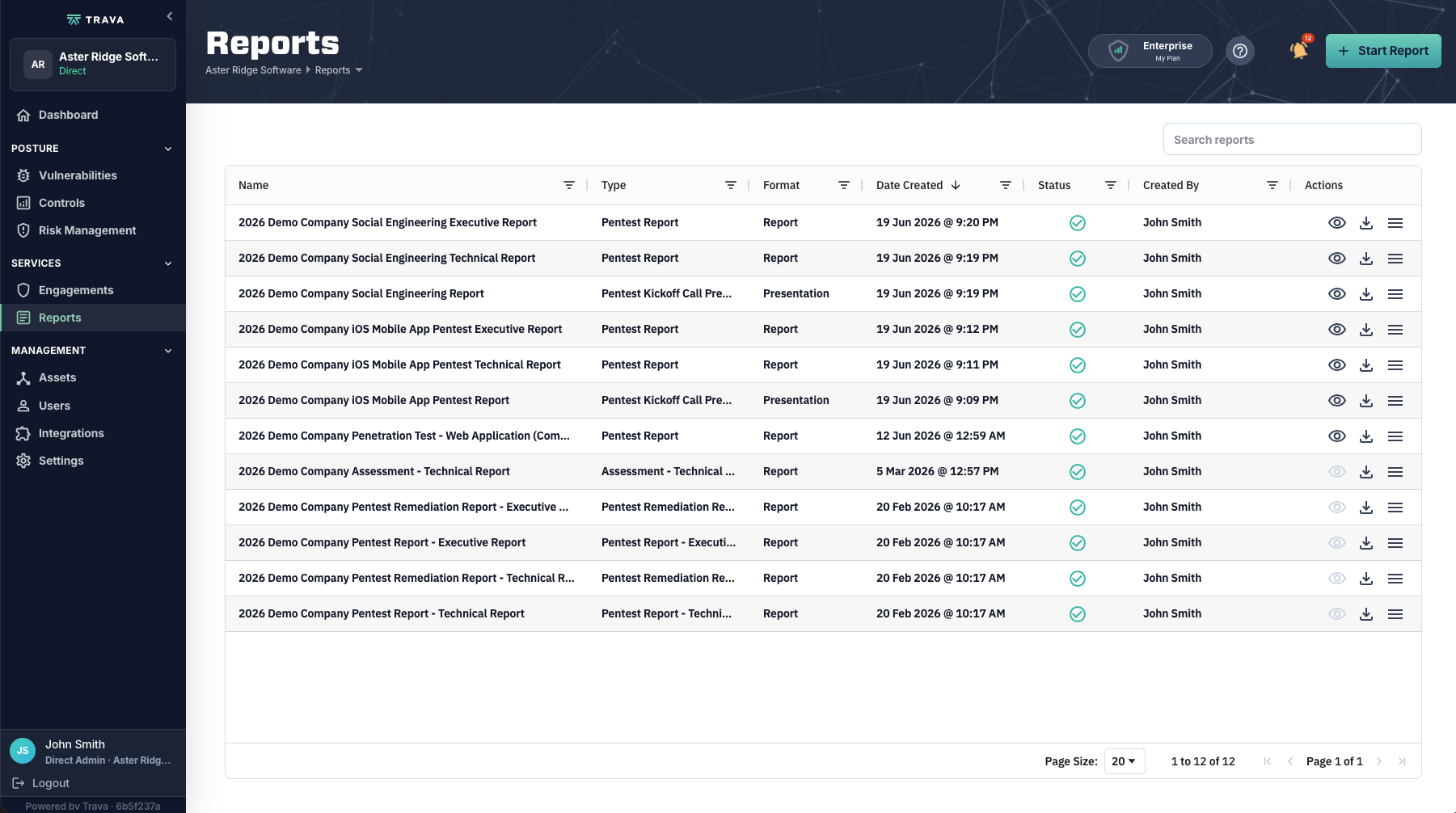
Every report you’ve been given

The full library in one place, so last year’s pentest is one click away when the customer questionnaire asks for it.

Report library listing every delivered report.
app.travasecurity.com
In-browser report cover page with a slide navigator.Findings summary table showing live remediation status per finding.Report library listing every delivered report.
Reports render in-browser, fully branded, with a slide navigator for jumping between sections.
“Your pentest report is a living artifact, not a PDF that’s out of date the day you fix something.”

Produced by our team. Kept current by your remediation.

See it with your own environment

A guided walkthrough of the platform, built around the program you are actually accountable for — not a generic demo tenant.